
BUILT BY COACHES · FOR COACHES
Three tools.
One coaching loop.
Track the game, review the film, and build the next practice — every session tied to a clear development methodology. So you can answer questions like:
"Is every player getting fair minutes — and time in more than one position?"
"What keeps going wrong in our games, and what should we work on next?"
"Are my practices actually fixing what we see on game day?"
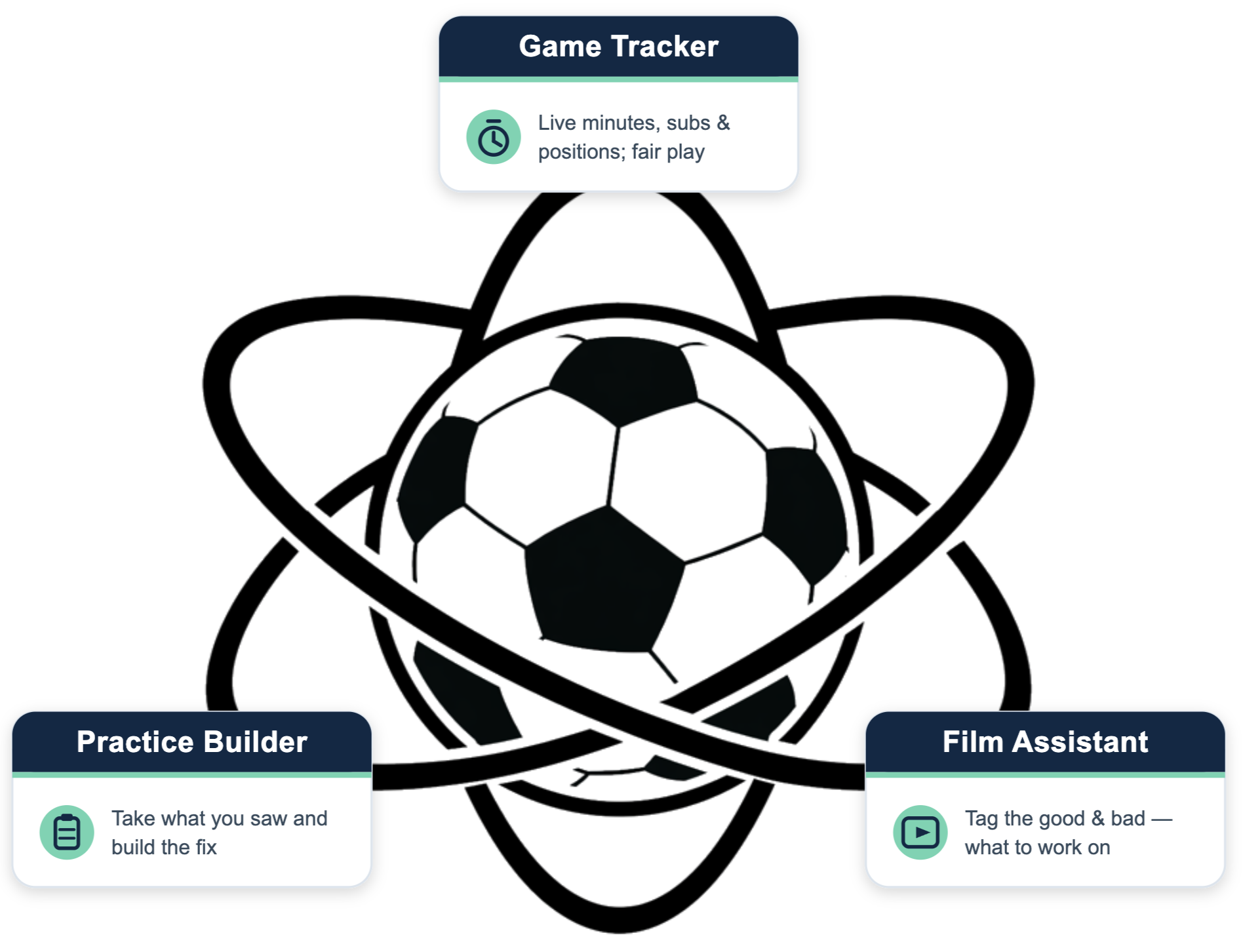
Select a tool to explore →
Our goal is simple: help coaches spend less time on logistics and more time developing players.
Game Tracker
A live sideline companion that tracks minutes, substitutions, positions, goals, and assists in real time — so every player gets fair playing time and real exposure across the field.
Managing a game from the sideline is chaos — subs, formations, who's played where, who's owed minutes. The things that matter most for development, especially fair playing time, are the easiest to lose track of. It's simple to promise every kid fair minutes and nearly impossible to deliver them in the heat of a match.
Game Tracker fixes that. An assistant coach runs it from a tablet or phone while you focus on coaching — logging minutes, subs, goals, and assists live. If you lose track of a player, it flags it — and let's be honest, that happens to all of us.
It also tracks how long each player spends in each position. After the game, you can see whether you've been boxing someone into a single role — so the next match you course-correct, starting them somewhere new and making sure everyone hits your fair-play minimum.
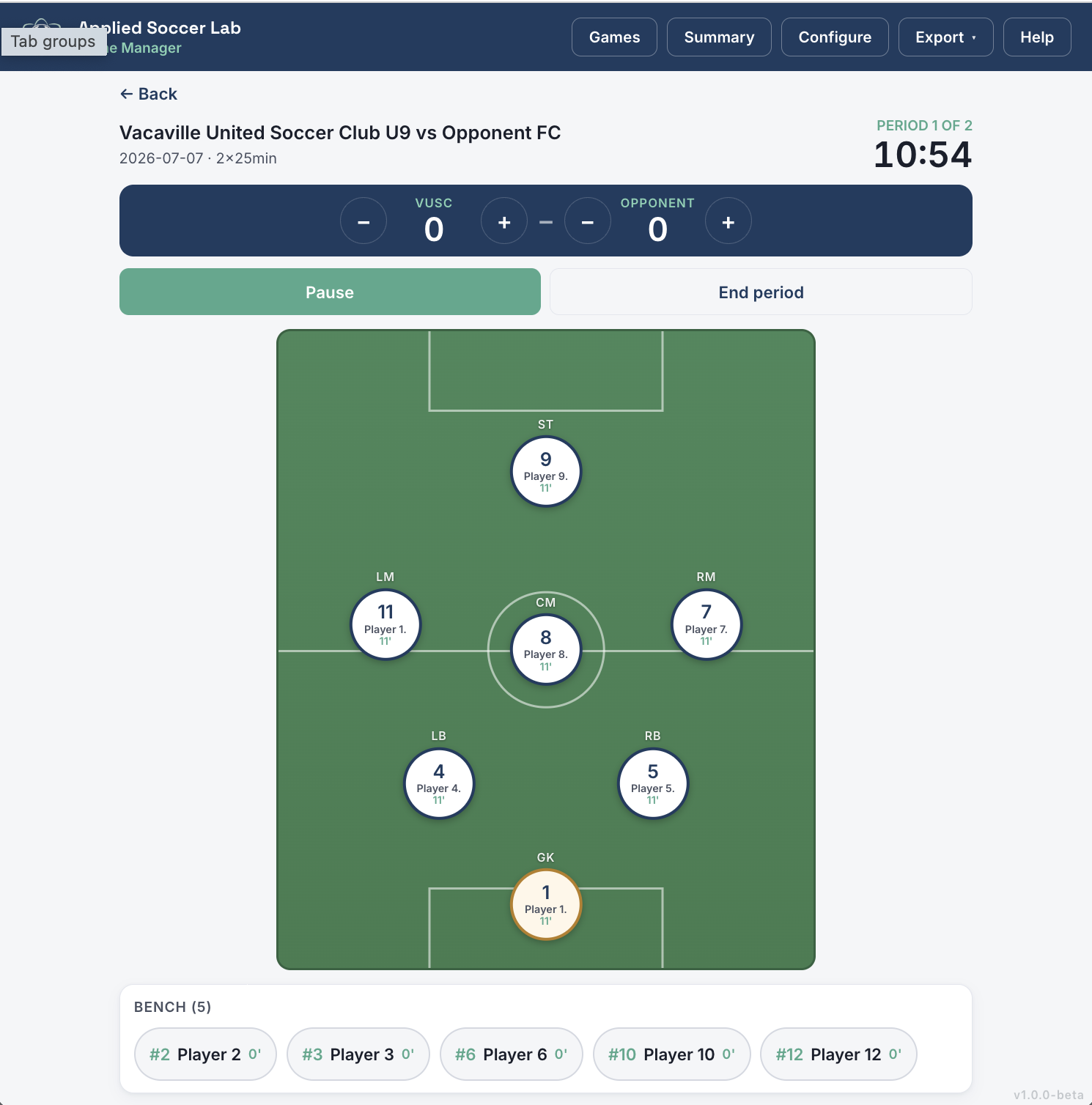
The in-game interface: drag and drop players to make subs. Everything's tracked in a clean report or exported as .csv or .md — ready to drop into any AI chat. (Names are placeholders; add your own roster.)
PLAYING TIME · POSITIONS · FAIR PLAY
Film Assistant
A guided film-review tool that helps you capture and describe the moments that matter — in U.S. Soccer's own coaching language — then turn them into game reports and shareable, professional-quality clips.
You just finished your game. If you're lucky, you'll remember a few things that went well and a few that didn't — but can you really trust that memory by the time your next practice rolls around? Film Assistant helps you hold onto what mattered. If you record your games, it walks you through marking the key moments and describing them in U.S. Soccer Federation language.
Plenty of expensive tools try to build highlight reels automatically. That works for older ages and pros — but not for youth soccer. That’s because a pass can look like a shot, a shot like a dribble, and everything in between. So we built Film Assistant to help capture moments that matter the most, and put real coaching language to them.
How we use it
Record the game — ideally with a system you can download locally, which unlocks the full feature set. (A YouTube or third-party stream works too, with fewer features.)
Tag the moments — while watching, mark the good moments and the actions to work on in practice.
Describe each one — the app walks you through it in U.S. Soccer license language, step by step.
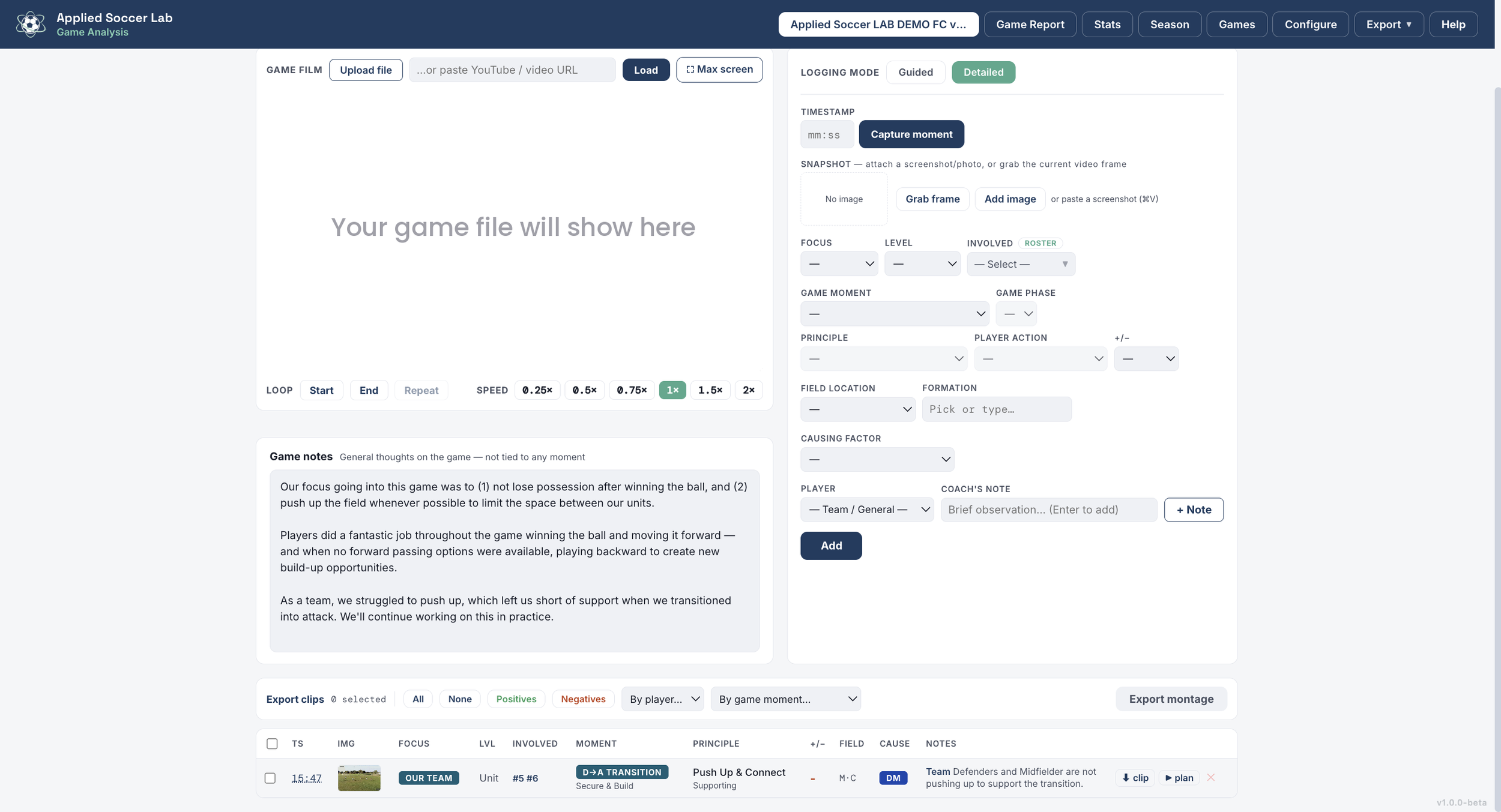
The interface offers two ways to log: guided or detailed (shown here). Guided walks you through each moment with definitions and support; detailed mode lets you log quickly once you know the terms.
What you get
Game reports of strengths & weaknesses, so you know exactly what to work on next week
Shareable, professional-quality clips for players, coaches & parents — everyone speaking the same language
Season themes rolled up by zone, principle & player, so you can see what keeps showing up
Describing what you see in real coaching language makes you a better coach — and honestly, it makes the game more intuitive. Not every coach needs to review film. But if you like to, this is a fun, powerful way to find exactly what to fix — and once you know that, it's time for Practice Builder.
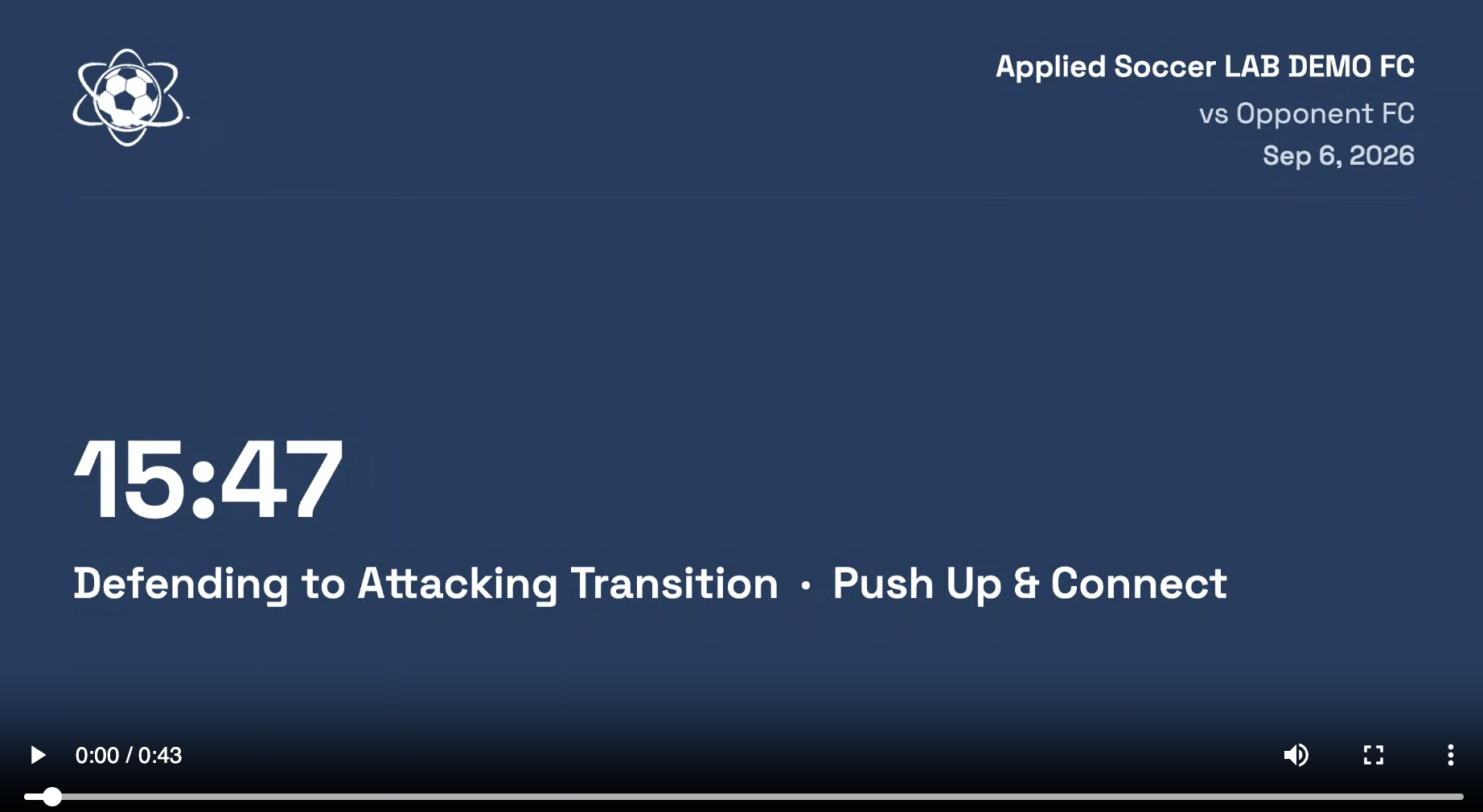
Here's the template for every exported clip: a description of what you're about to see, then the clip with that key info across the top. The "Your game film will show here" placeholder is just personal preference — I'd rather not use my own teams' footage in promo material.
GAME FILM · MOMENTS · DEVELOPMENT THEMES
Practice Builder
Turn what you saw on game day into purposeful training — the app builds U.S. Soccer-aligned sessions from a few simple inputs, then runs them on the field with a printable plan and a built-in timer.
PURPOSEFUL SESSIONS · U.S. SOCCER-ALIGNED · SEASON SUMMARIES
Good practices don't happen by accident — and they don't happen in isolation. We were tired of one-off sessions that didn't build toward anything or respond to what we saw in a game: a fun drill one week, something unrelated the next. Players deserve a plan that develops them over a block, not a library of random activities.
Practice Builder reflects our focus on giving players the best possible development — and it's as easy as it is powerful. You give it the basics: the age of your players, how many you'll have, the field size, and what you want to work on. This is where you take what you saw in the game or on film and turn it into a practice that fixes it. Tell the app your focus (in the same language as before) and whether the team needs to play, warm up, or get straight in — it even sets age-appropriate water breaks and balances drill time against free play.
Behind the scenes, it calculates an optimal session from a curated drill library (this version is geared toward recreational players), designed against U.S. Soccer Federation guidelines so everything aligns with their recommendations. But you stay in charge: don't like a suggested drill? Swipe to swap it for another on the same theme. You know your team.
Once it's built, your session is ready as a printable PDF or an auto-set timer to run practice on the field. Sessions save to your browser, and you get an exportable .md file to drop into any AI chat — so you can review a whole season's work and make sure you're staying balanced, not just reacting to the last game.
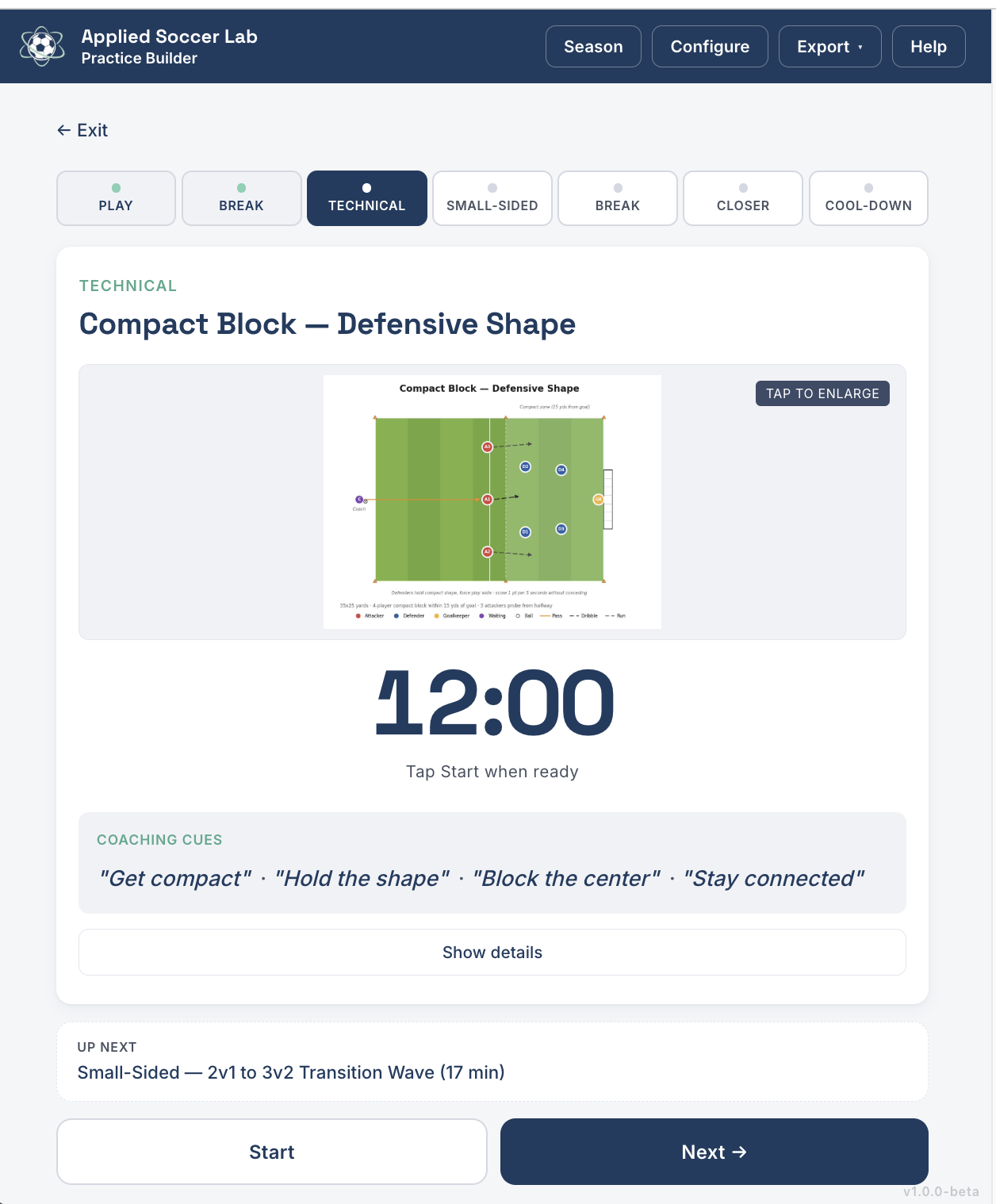
Now you're at the field. The app runs your session — keeping activities organized, breaks sufficient, and drills balanced with free play. Each drill even includes coaching points to remind you what to emphasize.
What's Next
These are early beta versions, built to run right in your browser on your phone or computer — so expect a few bugs and kinks as we go. Your feedback shapes what we build next, so tell us what's working and what isn't.
We're actively building toward a more polished, all-in-one version of these tools, and we'll keep sharing updates as it comes together. Try the beta version now for free and reach out anytime at team@appliedsoccerlab.com.
Running a whole club? We're partnering with clubs and directors of coaching on club-wide setups. If that's you, let's talk.